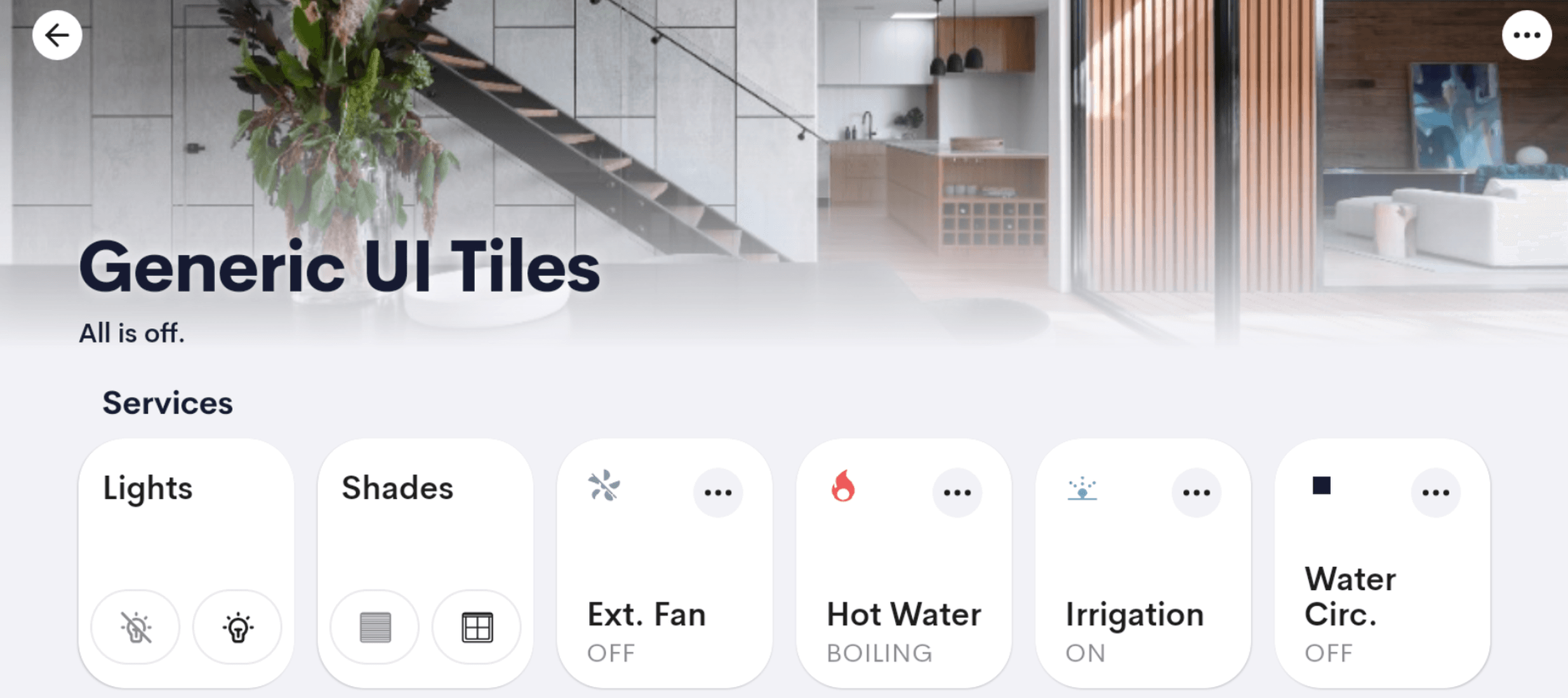
Generic UI Tile
UI Tile for generic purposes.
Overview
Generic UI Tile that can be used to control first and third party devices that are supported by the Crestron Home platform.
Use Cases
Make third (AND FIRST!!) party devices feel native to Crestron Home
Surface hardware in the Crestron Home UI as if it were built into the platform — same look, same feel, no jarring custom interfaces for the end user.
Control relay-driven devices wired straight to the processor modules
Connect simple on/off devices directly to a Crestron processor's modules and drive them from this tile, giving the homeowner a polished UI without exposing the underlying wiring.
Trigger a custom automation directly from the home page
When the integrator has built a custom routine — a 'prep for guests' sequence, a 'leaving the house' macro — give it a permanent tile so the homeowner can fire it without digging through menus.
A dedicated tile for a single high-frequency action
When one specific action gets used many times a day — open the gate, dim a critical light, run a coffee scene — a tile keeps it one tap away instead of buried three menus deep.
Features
- Configurable visibility — toggle the tile on/off at Home and Room levels independently
- Real-time tile feedback synced with device status
- Custom button labels
- Icons selectable from the Crestron Icon Library
- Compatible with Quick Actions
- Direct tile triggers (Room view only)
- Tile status persists across processor reboots
- Use multiple instances of this driver on one processor with a single license
Compatibility
| Crestron Home | Tested on 4.010.0260 and above |
| Processors | MC4-R, CP4-R, PC4-R, DIN-AP4-R |
| Note | Please try out the driver before purchasing and only make the purchase if you are happy with the driver. |
Screenshots
One-time purchase · Per-processor license
Fully functional for 2 hours without a license
Questions? Contact support