Multi Shades Tile
UI Tile for controlling shades.
Overview
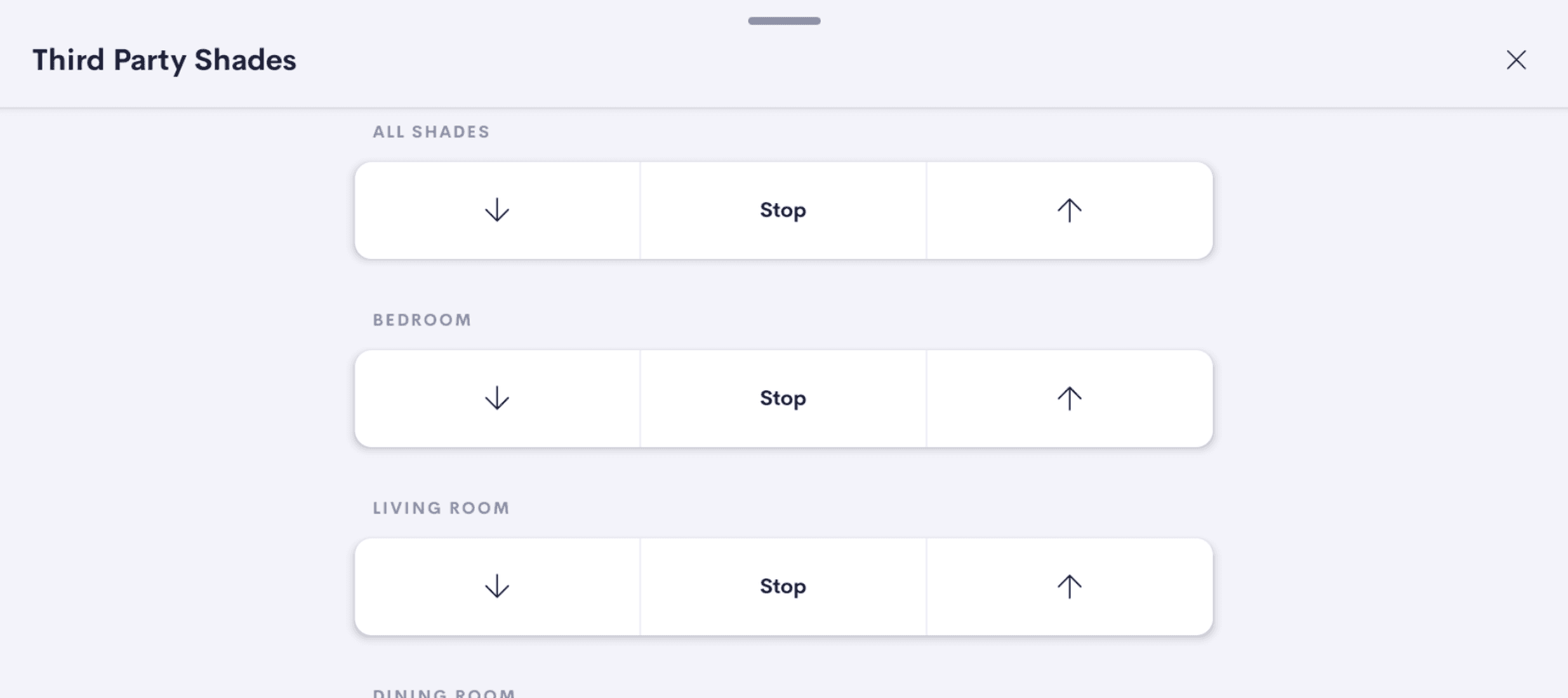
UI Tile that lets the integrator control first and third party shades through a single, simple open / stop / close interface.
Use Cases
Give third-party shades a polished, native-feeling UI
Many third party shade systems ship with awkward or inconsistent control screens. This tile wraps any supported shade in a clean open / stop / close interface that matches the rest of Crestron Home.
Put shade controls on the Home page
Surface the shades that matter most on the Home page so the homeowner can adjust them without drilling into a room or a dedicated shades view.
Quick access to the shades used most
Pin the handful of shades a homeowner reaches for daily into one tile, keeping the most common adjustments a single tap away.
Drive a whole room's shades from one tile
In a master bedroom or large living room with four to six windows, control every shade from a single tile rather than tapping through individual shade controls one at a time.
Features
- Configurable visibility — toggle the tile on/off at Home and Room levels independently
- Compatible with Quick Actions
- Global Open / Stop / Close controls for all configured shades (active when more than 2 shades are configured)
- Supports up to 30 shades per tile
- Use multiple instances of this driver on one processor with a single license
Compatibility
| Crestron Home | Tested on 4.010.0260 and above |
| Processors | MC4-R, CP4-R, PC4-R, DIN-AP4-R |
| Note | Please try out the driver before purchasing and only make the purchase if you are happy with the driver. |
Screenshots
One-time purchase · Per-processor license
Fully functional for 2 hours without a license
Questions? Contact support